
Mexico Pterodactyl AI Photo
Make a Mexico pterodactyl AI photo of you with the Juárez pterodactyl. Pick a template, add one photo, and get a picture of you holding it on a chain, losing your dog to it or crashing a party with it.
1Pick a template
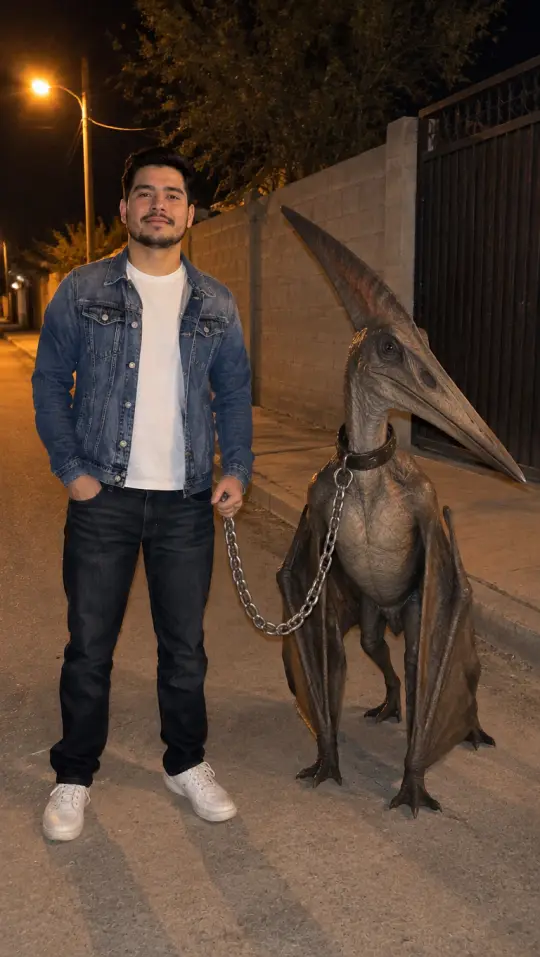
You at night on the street with the pterodactyl on a chain: “ya lo agarré”.
2Your photo
- Your first photo is a free preview
- No app, no prompt
Templates
Mexico pterodactyl AI photo templates
Five templates, after the jokes people post. Each example was made here from one ordinary photo of a person who does not exist. Pick one and add your own photo.
Caught it
The one most people post: you on a Juárez street at night with the pterodactyl on a chain, like you just caught it. It is the photo behind “se me había escapado pero ya lo agarré”.
It took my dog
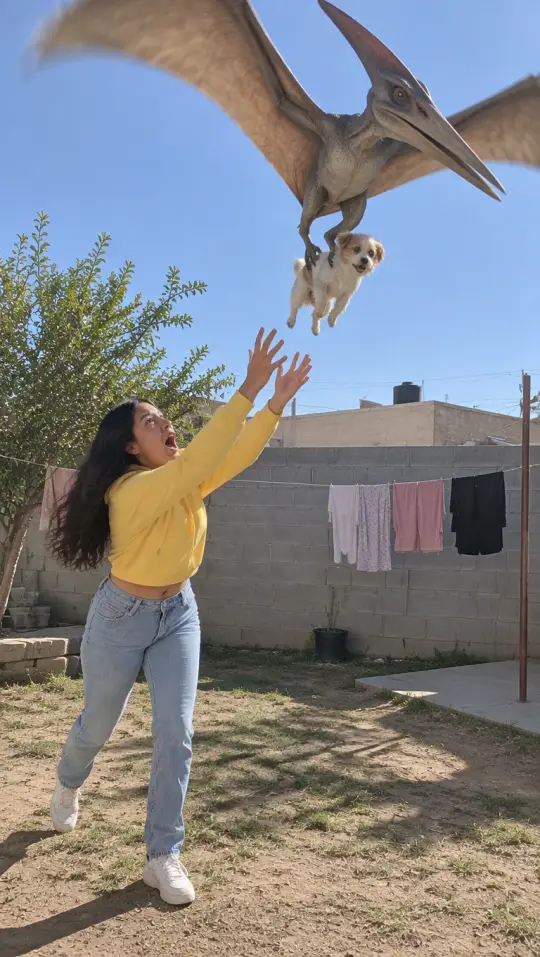
It swoops into your backyard and flies off with a small dog while you reach up for it. Hold your own dog in your photo and that is the one it takes.
Party crasher
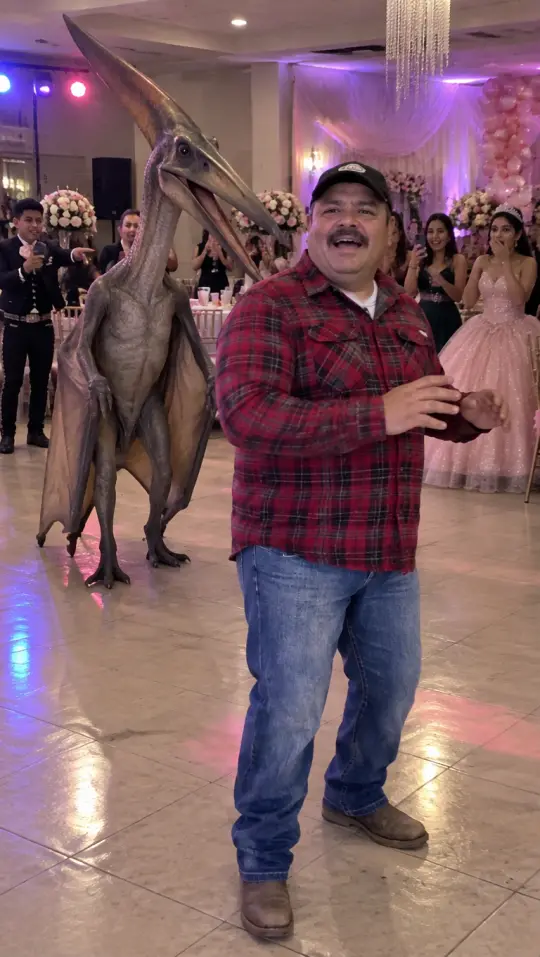
A quinceañera dance floor, the lights and the balloons, and a pterodactyl walking in right behind you while the guests film it.
Caught on camera
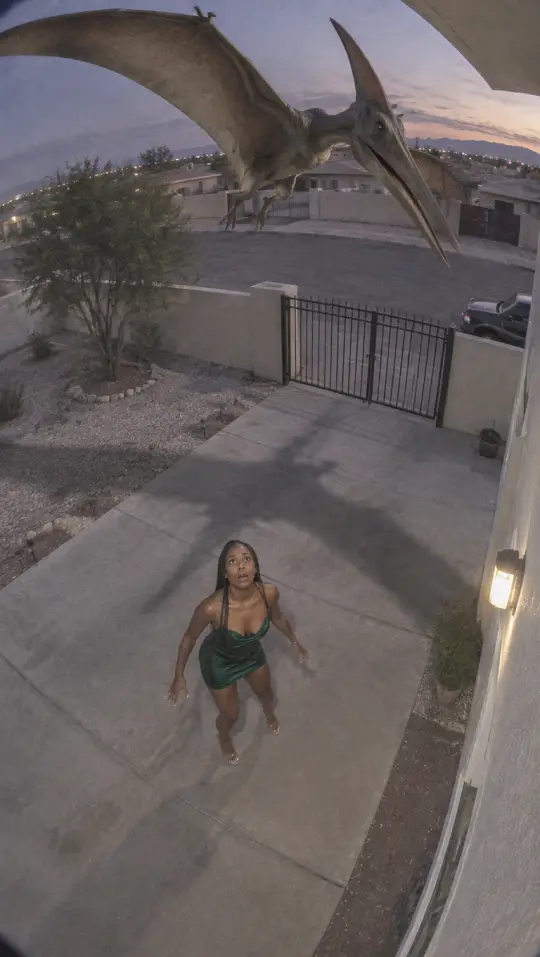
Your home security camera catches it swooping over the driveway at dusk, with you looking up. The first Juárez clip came from a camera like this.
Selfie with it
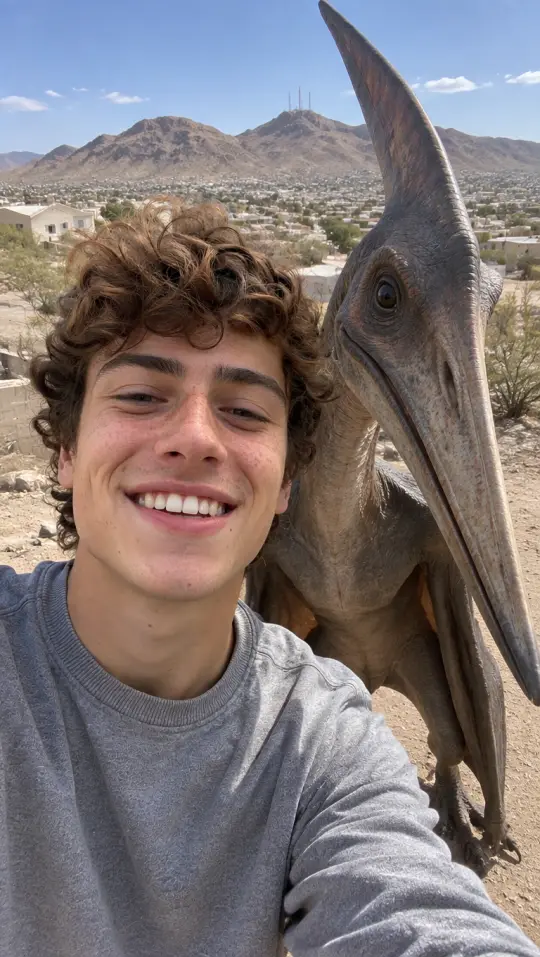
You take the selfie, it leans its beak in beside your face. Dry hills and houses behind, like the edge of Juárez.
Three steps
How to make a pterodactyl AI photo
No app and no prompt to write. The template sets the scene and the pterodactyl; your photo sets who is in it.
- 01
Pick a template
Caught it, It took my dog, Party crasher, Caught on camera or Selfie with it. The picture on the right shows what the template makes.
- 02
Add your photo and your own details
One person, face clear. Under Add your own details you can ask for a hat, a taco in your hand or a sunset; the template still sets the scene.
- 03
Download your pterodactyl photo
It is ready in about a minute. Your first one is a preview with a watermark; pick a pack and the same photo comes out clean.
Make it move
Want a Mexico pterodactyl AI video?
The video tool puts you in a TikTok template: you walk the pterodactyl on a chain across a tiled hall, stand beside the one you caught, or chat to it on a rooftop, with sound.
Questions
Mexico pterodactyl AI photo FAQ
Can I try the Mexico pterodactyl AI photo before paying?
Yes. Your first pterodactyl photo is a free preview with a watermark, one per person. To download it without the watermark or make more photos, pick a pack; the preview then comes out clean as one of your photos.
Can the pterodactyl take my own dog?
Yes. Pick It took my dog and use a photo of you holding your dog: that is the dog it flies off with. Without a pet in your photo it takes a small dog from the scene.
Can I turn the photo into a video?
The video is its own tool, on the home page: pick a template there, add the same photo of yourself, and you get a Mexico pterodactyl AI video with sound.
How do I remove the watermark?
Press Download photo under your preview and pick a pack. The watermark comes off that same photo, so you do not make it again.
What can I write in Add your own details?
Small things about you or the moment: a hat, a jacket, a taco in your hand, sunset light. The template still sets the place and the pterodactyl, and anything not allowed is left out.
What happens to my photo?
It is used only to make your pictures and videos. It stays with what you made in My photos & videos and is deleted when you delete it; a photo you add and never use is erased within a day.
Mexico Pterodactyl AI is an independent, unofficial tool. It is not affiliated with the people who posted the Juárez clips, the TikTok creators behind the trend, any news outlet, the City of Juárez or TikTok, and none of them endorse it. Clips shown here belong to the people credited. Every video and photo made here is AI-generated: say so when you share it. Rights holders can write to support@mexicopterodactylai.com.